
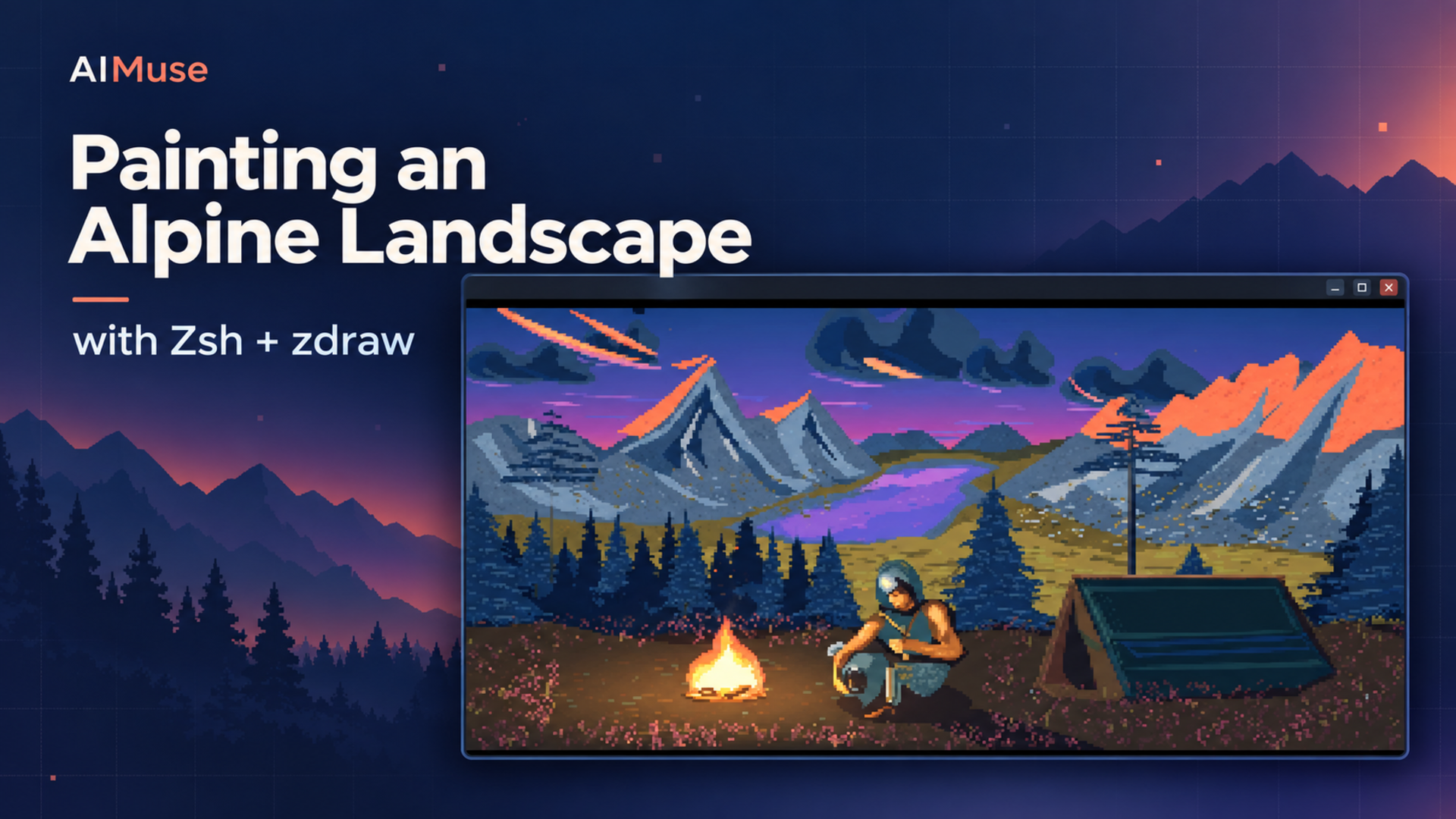
I gave Codex a picture of a mountain campsite and asked it to recreate the scene using Zsh and my zdraw module. There were coral-colored peaks, a purple lake, dark pines, a tent, and an armored traveler sitting beside a fire. The reference was heavily pixelated, which seemed like a promising fit for a terminal.
I also made one choice that shaped the whole experiment: rebuild it from drawing primitives. The program would have to construct the mountains, trees, grass, and traveler itself. Converting the reference into a table of pixel colors would have answered a different question.
Several iterations, two zdraw releases, and one surprisingly important font adjustment later, this is what I had running in Kitty:
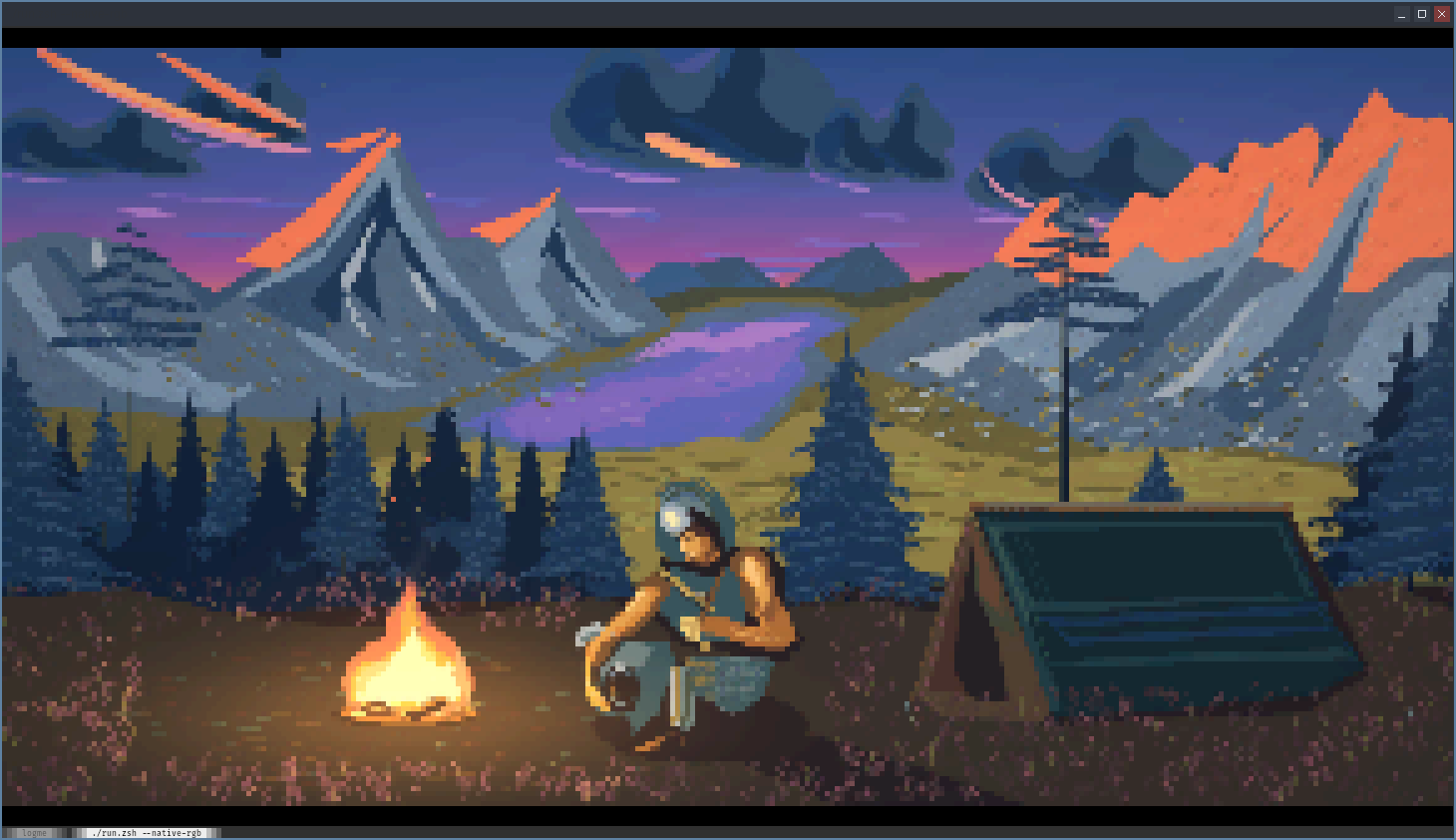
My actual Kitty screenshot from September 27, 2026. The reconstruction is called Alpine Vigil. The terminal displays it using colored character cells. The cover is a separate AI-generated editorial composition.
When I sent that screenshot back, my reaction was: "It looks incredible for what it is... I'm amazed!" I still think that is a fair description. You can see where the reconstruction differs from the reference, but you can also see a landscape, light, and atmosphere in a window running ./run.zsh.
The project grew out of my experiments with games written in Zsh. I had already built zgame and endgame, and the workspace contained further graphics experiments. We archived the existing work before changing direction. We kept doing that as the image developed, saving source snapshots, rendered previews, and measurements. Those archives eventually helped us recover visual details we should have kept.
Building the scene from primitives
"Written in Zsh" needs a little explanation. The scene description, geometry construction, procedural detail, much of the color processing, and application control are Zsh. zdraw is a native compiled module that does rasterization and terminal drawing. The application does not read the reference image at runtime or ask an external image renderer to display it. Python helped with development tests, comparisons, and captures; it is not the painting's application runtime.
The scene is also a layered 2D composition. Mountains appear distant because of their placement, colors, and overlapping shapes. We did not turn the reference into a navigable 3D world.
Most of the image eventually becomes triangles. Polygons define mountain faces and cloth. Narrow shapes form branches and grass. Fans of triangles make shaded brush marks. Repeated marks add rock texture, water reflections, needles, and vegetation. The final restored scene submits 91,010 triangles and produces roughly 9,000 colors.
We render at 1500×792, then reduce the result to 750×396. That larger working image gives thin lines and diagonal edges more samples before reduction. It is one reason the result can look smoother than a drawing made directly at the final size.
The terminal adds another conversion. An upper-half-block character, ▀, can carry one color in its foreground and another in its background. That gives us two vertical picture samples per character cell. At full output resolution, the image needs 750 columns and 198 rows. Smaller windows display a reduced view.
The earlier raster API offered only 32 material slots. We worked around that by using the integer part of the depth value to order shapes and a small fractional part to carry pigment information, later adding a lighting value too. Zsh recovered those values when reading the raster back. It worked, but we wanted an API that could handle RGB directly.
We divided the image into tiles small enough to fit zdraw's resource limits, rendering, reading, and releasing each one before moving on. In the newer native RGB path, a source tile and its reduced destination together use about 698 KB of owned raster storage at peak, excluding the shell's arrays and other memory.
When more detail made it worse
The first versions had a fairly direct pixel-art character. The optimized pixel-art version used 59,458 triangles and a 160-color palette. Fresh launches took about 21 seconds on my workstation, with cached launches around 1.7 seconds. I liked its strong colors and recognizable silhouettes.
Then I asked for smoother shapes, better shading, and more detail. I wanted to use what zdraw could do.
We added irregular foliage, shaded brushwork, atmospheric haze, smoke, and a softer reconstruction filter. The painting grew to 89,360 triangles and thousands of resolved colors. Technically, there was more going on. Visually, we went too far in the wrong direction.
The blue shadows drifted toward gray-green. The mountain light became pale. Large cloud forms shrank into flatter patches. Smoothing weakened the fine strokes. Eventually I compared the current version with the earlier one and told Codex it looked bland and had lost its flair.
That was a useful correction to the process. Tests could confirm that pixels survived a cache round trip or that a new renderer matched an old one. They could not decide whether the old one still looked good. We had been paying close attention to rendering correctness and performance while allowing the art direction to drift.
Teaching zdraw RGB
The image also gave us concrete feedback for zdraw. Version 0.1.2 added color-pair preflight and compact rectangle batches. Preflight checks whether a frame's foreground/background combinations fit the remaining native budget before allocating them. Two-color cells can consume many more combinations than the number of individual colors suggests.
Preflight made the viewer more reliable when other drawing code had already consumed pairs, at a cost of about 0.22 seconds per full-size frame preparation. The rectangle API helped the archived Cinder Relay game renderer, reducing complete scene-render time by roughly 6-11% in those tests. The painting's angled strokes and curved forms had less use for rectangles. Version 0.1.2 was useful, but it did not make the painting build faster.
Version 0.1.3 was a closer fit. It added RGB surfaces, per-vertex RGB interpolation, and native box-filter reduction. We could give triangles actual colors and reduce their raster output before bringing it back into Zsh.
Our first application port still took 46.6 seconds, slower than the roughly 42-second reference build. Repeated indexing of large Zsh arrays made the conversion expensive. Walking the triangle arguments with a grouped iterator brought native builds down to about 38.4 seconds. On the same painting, that was approximately a 9% reduction in construction time.
We measured another tempting result: native presentation of already-loaded RGB surfaces completed in about 117 milliseconds, compared with roughly 1.99 seconds through the Zsh presenter. That is about 17 times faster for that stage. But importing the finished painting into those surfaces took around 4.3 seconds. Including setup, that adapter was slower for a single launch. We kept the existing presenter.
Where the forty seconds go
The remaining render time is mostly ordinary CPU work. Zsh builds tens of thousands of shapes, assembles batches, reads results, and processes color. The native path reduces the final readback from 1,188,000 samples to 297,000, but haze, firelight, smoke, grain, reconstruction, and color-pair quantization still run in Zsh. In the v0.1.3 comparison, that artistic postprocessing alone took around 17-18 seconds, while geometry and brush construction accounted for roughly another 15 seconds.
After restoring the stronger palette and fuller forms, the current scene became slightly heavier:
| Current restored scene | Measured construction time |
|---|---|
| Reference pipeline | 44.6 seconds |
| Native RGB pipeline | 40.8 seconds |
These are workstation measurements for building the image, including its effects and final color treatment. They exclude cache serialization and image export; terminal preparation and presentation add their own time. They are not animation frame rates.
A validated cache saves the renderer's own finished output, so we do not rebuild the mountains every time we open the program. Full-size cached launches in our measurements took around 2.6 seconds. Source or native-build changes invalidate the cache. It stores plain data and is never executed as shell code.
The Kitty problem
The last visual problem involved Kitty. My screenshots looked noticeably duller than the exported previews, even when I launched with --native-rgb.
That flag selects how the geometry is rendered. RGB output to the terminal is a separate issue. Kitty supports truecolor, but its installed xterm-kitty terminal description advertised 256 indexed colors to this ncurses-based zdraw path. The application was therefore reducing the painting to an indexed palette. The terminal could show more than the application was asking it to show.
The launcher now recognizes that Kitty case and selects an installed xterm-direct entry for its child process. It leaves the parent shell and Kitty configuration alone, and explicit indexed or monochrome modes remain available. The mismatch was in how this build discovered Kitty's capabilities.
We also repaired the artwork itself. Coral light returned to the peaks, purple to the lake, and deep blue to the forest. We brought back the earlier cloud masses and their layered ribbons, reduced the haze, added clearer branch planes, and made the pine silhouettes fuller. The final smoothing filter now retains more of the center sample, so it does less damage to small details.
Then I made Kitty's font much smaller.
The difference was immediate. My earlier screenshots were roughly 160 columns wide. That left far fewer cells than the 750-column picture could use, so branches, mountain ridges, and vegetation collapsed into the same small set of samples. A smaller font fitted more cells into the same window. It gave the renderer more space to show detail that already existed.
The colors and font change solved different problems. Correct RGB output restored the intended palette. More terminal cells made the picture easier to read. The screenshot above shows both working together, and it is the point where I stopped studying individual defects and started enjoying the scene.
The current native version runs with:
./run.zsh --native-rgbWe checked both rendering paths through real terminal sessions, including retained colors, resizing, keyboard controls, cache reuse, and terminal cleanup. The restoration passed all ten application terminal tests, alongside the geometry and shading checks. The v0.1.3 build had also passed zdraw's full 190-test suite. Small rounding differences remain between the reference and native RGB renderers, so both are available.
Working with Codex made it practical to keep trying alternatives and measuring them. My part still included choosing the constraint, comparing the actual pictures, and saying when a technically more elaborate version looked worse. The smaller-font screenshot was a reminder to inspect the result in the terminal where I actually use it.
I started this because I wanted to see what zdraw could do with an image that seemed suited to terminal pixels. I ended up with a mountain campsite built from shell-authored geometry, a better understanding of where the time goes, and useful additions to the drawing module. I am still quite happy to spend forty seconds building it from scratch just to see that campfire appear in Kitty.